NFC vs QR vs Link-Only: Choosing the Right Digital Business Card for Your Business in India
A practical comparison of NFC tap, QR code scan and URL link digital business cards — when to use each, which combinations work best for events, retail, field sales and freelancers, and how to pick the right option for your budget and tech comfort.
Why the sharing method matters
A digital business card is more than a link to contact details: the way you share it affects reach, conversion and the first impression you make. NFC tap, QR code and link-only sharing each suit different contexts, devices and budgets. Understanding their strengths helps you choose a setup that supports your goals — whether you are a freelancer meeting clients in Mumbai, a retail store in Delhi, or a field sales team traveling across India and abroad.
Quick overview of the three methods
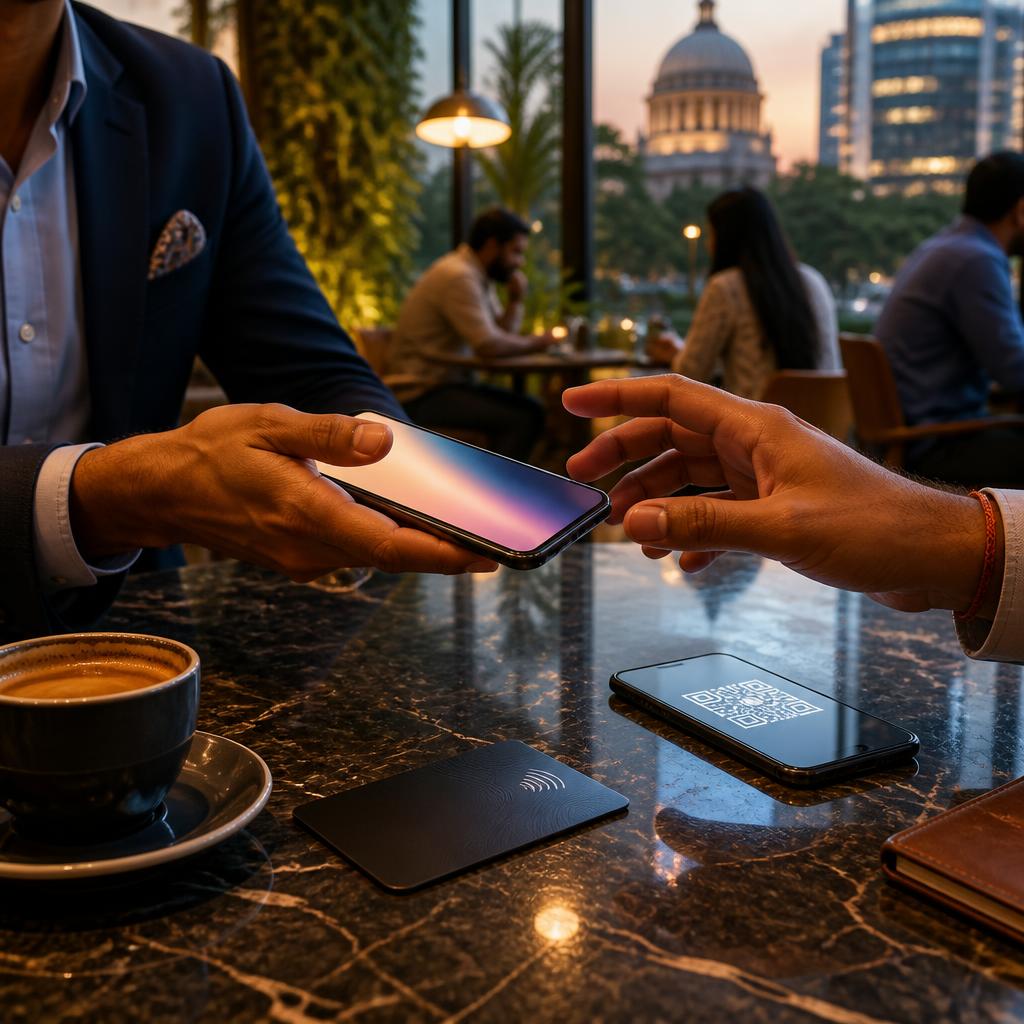
NFC (near-field communication) lets users tap a physical NFC card or device to a phone to open a digital card instantly. QR codes are scannable images printed on materials or displayed on screens that load the card in a browser. Link-only distribution is sharing a URL in email, messaging apps, social profiles or an SMS. DigiCarda supports all three approaches — NFC cards, QR code scans and link sharing — giving businesses flexibility to match use cases and audience tech comfort.
When NFC is the best choice
Strengths: NFC offers a high-impact, premium experience — a single tap opens your mini website or profile without typing or camera steps. It is ideal for one-to-one meetings, premium networking, conferences where you want to stand out, and for freelancers or professionals who want a tactile, branded card. Considerations: NFC requires an NFC-capable phone and a physical NFC card or device to tap. In reviews customers described NFC as an innovative, attention-getting feature and appreciated the immediate sharing it enables. If your audience tends to use modern smartphones and you want a memorable handover, NFC is worth the investment.
When QR codes make the most sense
Strengths: QR codes are universally accessible — most smartphones can scan QR codes using the camera or a built-in scanner — and they are inexpensive to produce and place on printed material, store windows, menus, product packaging and event booths. They are especially effective for retail, hospitality, trade shows, workshops and any scenario where many people need quick access. Considerations: a visible QR must be well-sized and placed for easy scanning, and you should provide a short instruction (“Scan to view profile”) for less tech-savvy users. Reviews frequently highlight the convenience of one-click access and the ease of sharing via QR or link.
When link-only distribution is ideal
Strengths: Sharing a URL is the lowest-cost, most universal option. Links work well in email signatures, WhatsApp, LinkedIn profiles, social media bios and SMS outreach — useful for remote networking, freelance promotion and digital-first businesses. Considerations: links rely on the recipient tapping or copying a URL, which is slightly less immediate than NFC or QR but has the broadest reach. For many small businesses and startups, a well-designed mini website or landing page (available with digital card platforms) plus a concise link provides a fast, economical presence.
Picking the right combination by sector and budget
Low budget / high reach: link + QR — use a short URL in email and social profiles and display a QR where customers see it (storefronts, flyers). Mid budget / versatile: link + QR + mini website — maintain a polished landing page and use QR for in-person traffic; share the link online. Premium / high-impact: add NFC to the above — carry an NFC card for meetings and conferences and use QR/link for mass distribution. Sector examples: a makeup artist meeting clients in Delhi may pair an NFC card for in-person consultations with links on Instagram; a retail shop in Bengaluru might display QR codes and use links in marketing messages; a field sales team in Pune could equip reps with NFC cards for meetings and a centralized link for follow-ups.
Practical tips for rollout and next steps
Make the digital card do the work: keep the landing page focused (contact, services, key portfolio images and a clear call to action). Test on multiple phones before distributing: verify NFC tap behaviour, QR readability at different sizes and link load times. Place QR codes where they are easily scanned and include a short instruction for users. Update content regularly so every share reflects current offers and contact details. If you want help choosing a setup or a demonstration, DigiCarda offers quick onboarding and mini website capabilities that let you switch between methods — contact their team for a demo to see which combination fits your business and audience.
Article by
DigiCarda: Digital Visiting Card | Digital Business Card
DigiCarda - is a fully interactive, mobile based Digital Business Card Mini Website Brochure and so much more Call: 81110 81114 For Demo today !! 3 Ways To Share: 1. Share your card to anyone via a link. 2. Tap your NFC Card to Another Phone. 3. Scan QR Code to open the card. We are one stop solution for your Digital Visting Card. Digital Business Card or you Digital Landing page needs. Our digital business card platform makes designing a card simple, convenient, and reliable. This is a business card that is smart elegant and affordable. All in One: Digital Visiting Card Mini Website Personal Profile Page Landing Page Get in touch today!!