Digital Business Cards for Real Estate Agents in India: Capture Leads at Every Site Visit
Practical guidance for real estate brokers and developers on using digital business cards as mobile project brochures—what to include, how to share on site, and simple ways to capture and follow up with leads without printed flyers.
Why digital business cards work for site visits
On-site property visits are high-intent moments: prospects inspect layouts, ask price and availability, and decide whether to follow up. Replacing printed flyers with a project-specific digital business card (a compact mobile mini-website) helps agents deliver richer information instantly, avoid paper waste, and ensure every visitor leaves with an easy way to reconnect. DigiCarda’s approach—mobile cards, mini websites and NFC-enabled cards—matches this need by making project details accessible on any smartphone.
Three fast ways to share a project card on site
Make sharing frictionless so visitors don’t have to type contact details. Use one or more of these methods: 1) a short link or QR code displayed on the sales desk, signage or a printed board; 2) an NFC card or sticker that a prospect taps with their phone to open the card instantly; 3) a shared link sent directly from the agent’s phone. These methods are low-friction and work across Android and iPhone browsers, enabling prospects to save the project page immediately.
What to include on a project-specific digital card
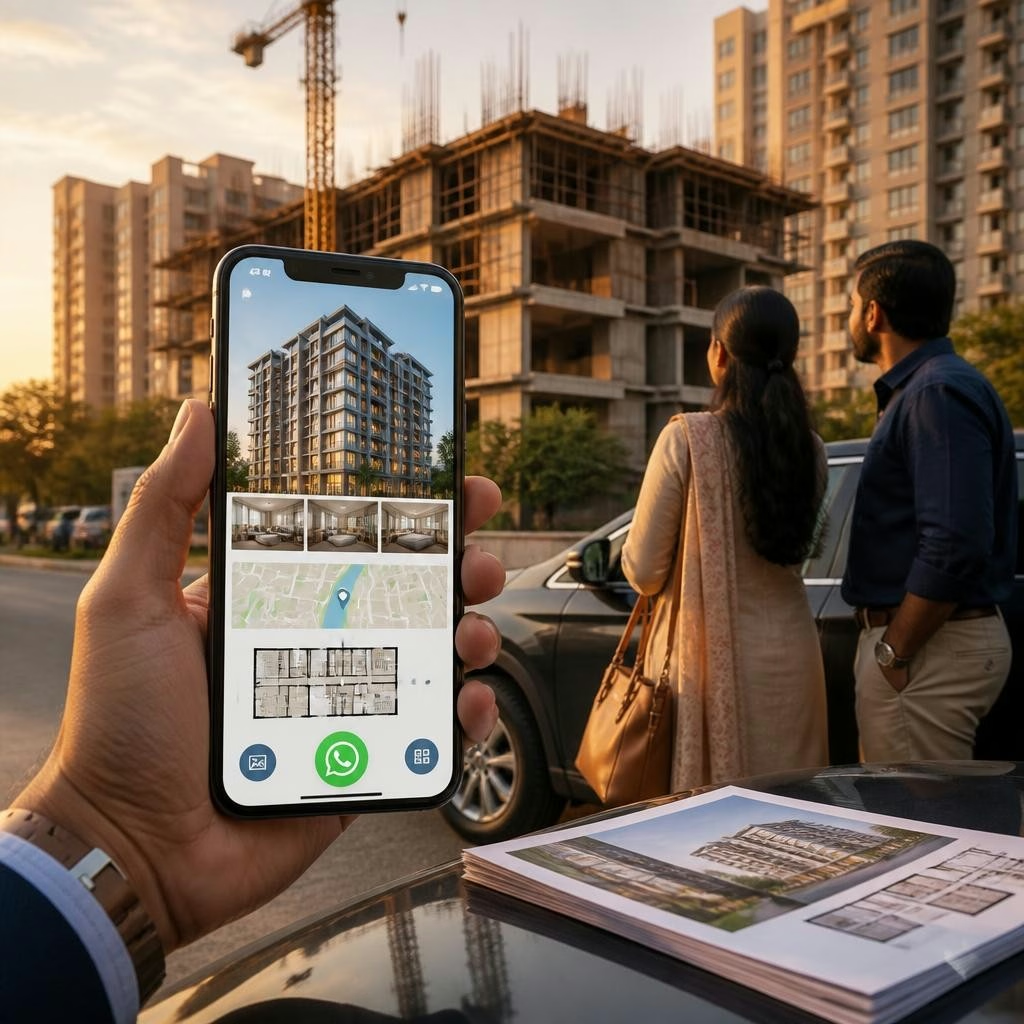
Design each card as a mobile brochure tailored to the project. Key items to embed: high-quality project photos and sample flat interiors, a clear location map, brief unit details (typical sizes and starting prices), highlights of amenities, contact and sales office hours, downloadable PDF brochure or price list, and links to virtual tours or videos if available. Keep content scannable—lead with images and a prominent contact action so visitors can act while still at the site.
Lead-capture elements that convert during visits
Turn casual interest into a contactable lead by adding direct actions on the card: a click-to-call button, a click-to-chat WhatsApp link (a common option for mobile pages), and a short inquiry form that asks only for name and phone/email. You can also include a calendar or slot booking link for follow-up site tours. If your digital-card provider supports it, enable immediate notifications to the agent so enquiries are answered while the prospect is still engaged.
Practical templates and on-site placement
Prepare a template per project to speed setup: a hero image, 3–5 key bullets, map, and one contact CTA. On site, use QR-code posters near the model apartment, NFC-enabled display stands, stickers on brochures, and embed the card link in SMS or WhatsApp follow-ups. In busy urban markets such as Mumbai, Bangalore, Delhi or Hyderabad, signage and quick taps reduce time spent handing out paper and increase the chance visitors retain project details.
Follow-up workflow and simple integrations
Create a clear next-step workflow for every enquiry: confirm receipt (automated message or a quick call), schedule a follow-up meeting, and tag the prospect by project and budget. DigiCarda-related services commonly pair well with tools like Bulk SMS Marketing to re-engage visitors and with CRM lists for tracking conversions. If you use online reputation or marketing services, funneling leads into those systems ensures consistent messaging and faster closure.
What agents and developers say about going digital
Agents who switch to digital cards report faster distribution and fewer lost leads. Customers of DigiCarda frequently note quick turnaround, helpful onboarding support, and the convenience of NFC cards and mini websites—feedback that makes it easier for agents to adopt the system and use it confidently at sites. Use these strengths to train sales teams: a short demo and a ready template are often enough to start capturing enquiries from the very first visit.
Getting started: simple steps to test on your next visit
Start small: create one project card, add 4–6 high-impact images, a map and a single WhatsApp or call button, then display its QR code and an NFC-enabled stand at your next open house. Track which method gets the most responses and refine the card text and images accordingly. If you want assistance with design, quick delivery, or bulk sharing options (including NFC cards, QR stickers and mini websites), contact DigiCarda for a demo at 81110 81114—available to agents across India and international markets.
Article by
DigiCarda: Digital Visiting Card | Digital Business Card
DigiCarda - is a fully interactive, mobile based Digital Business Card Mini Website Brochure and so much more Call: 81110 81114 For Demo today !! 3 Ways To Share: 1. Share your card to anyone via a link. 2. Tap your NFC Card to Another Phone. 3. Scan QR Code to open the card. We are one stop solution for your Digital Visting Card. Digital Business Card or you Digital Landing page needs. Our digital business card platform makes designing a card simple, convenient, and reliable. This is a business card that is smart elegant and affordable. All in One: Digital Visiting Card Mini Website Personal Profile Page Landing Page Get in touch today!!